Developing a Consistent Aesthetic
A core part of my recent adventures in game development has been creating assets. There is a wealth of free game assets available online, but I've found it's nearly impossible to find a full game's worth of them in the same style. The best way to get a coherent aesthetic throughout all parts of your game is undoubtedly to create them yourself.
After some brief forays into pixel art (which I won't share here), I decided to embark up the notoriously steep learning curve of Blender. I carefully followed a couple of video courses, probably 20 hours in total, to develop a muscle memory for the basic controls and a sense of the capabilities of the program.
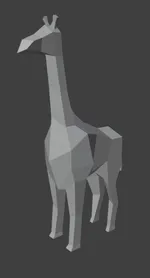 One of my first attempts
I've opted so far for a low-poly style, where the edges and faces are clearly visible to the viewer. I feel like games offer a distilled, supernormal version of a world for the player to explore, and low-poly graphics can accentuate that. Flat textures and plain colors also play into this. I also draw inspiration from various indie games that I admire, such as Polytopia and Thronefall.
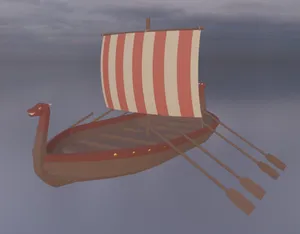 A more detailed model
Animating the models
One I gained some confidence in creating the models, the next step is to animate them. Blender offers a lot of great tools for this. In contrast with pixel art animations, where every frame has to be drawn by hand, Blender will readily interpolate between a handful of carefully posed frames, and half a dozen frames can easily be converted into a fluid, 60 fps finished product.
Animating consists mostly of defining "bones" that can be placed into poses and will drag the limbs of the model along with them. There are also control bones that are even further abstracted from their namesake, which float freely around the model and can be positioned to guide the movements of the other bones. Two points hovering near the shoulders can effect a shrug or a rotation of the whole torso, for instance.
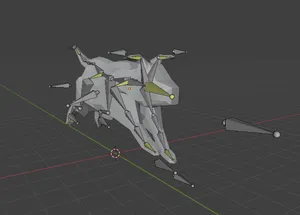 Animating a running dog
Once a model and a collection of animations for it have been defined, importing it into Unity is a breeze. From there I only have to scale and position it properly and hook it up to any game logic which may govern its animation states.
 Playing fetch with the fully animated dog